Sign in to aurora+
Are you an existing aurora+ customer? Sign in here to check your balance, see your daily usage and top up.
Are you an existing aurora+ customer? Sign in here to check your balance, see your daily usage and top up.
Use our free online account management tools and forms to manage your account quickly and easily.
If a life is in danger, call 000 directly
We’ve made payment plans easier to view and track, so you can quickly see what’s happening with your payments — all in one place.
What is the Payment Plan overview?
The Payment Plan overview gives you a clear, easy‑to‑read summary of your payment plan details. It brings together the most important information, without needing to search through your bills or statements.
If you have an active payment plan you can use it to:
What information can I see?
In your Payment Plan overview, you’ll be able to view:
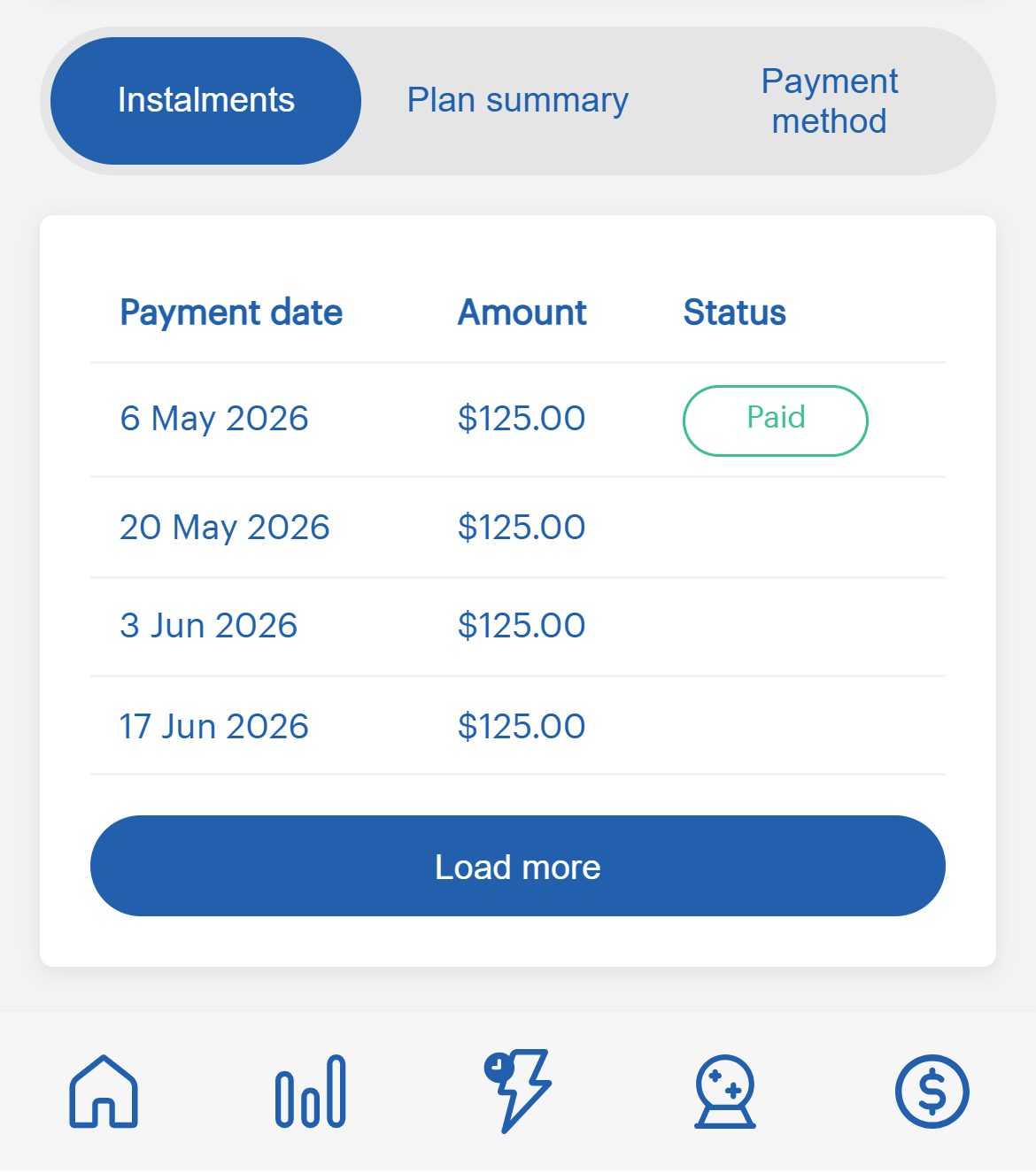
Instalments
See your next payment date and amount, along with future scheduled payments if applicable. This will also show the status of your payments (paid, overdue, due).
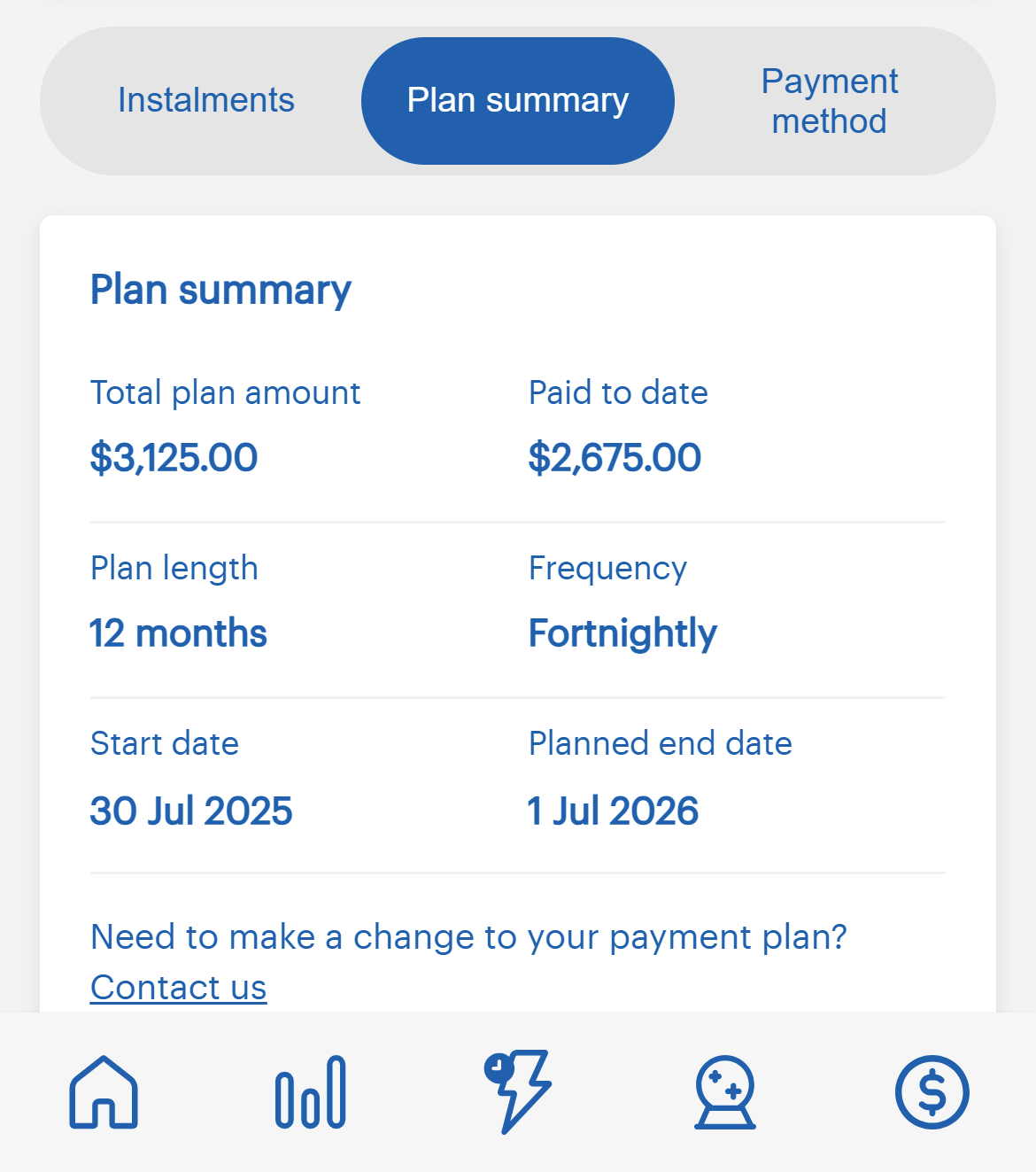
Plan summary
This includes key information such as:
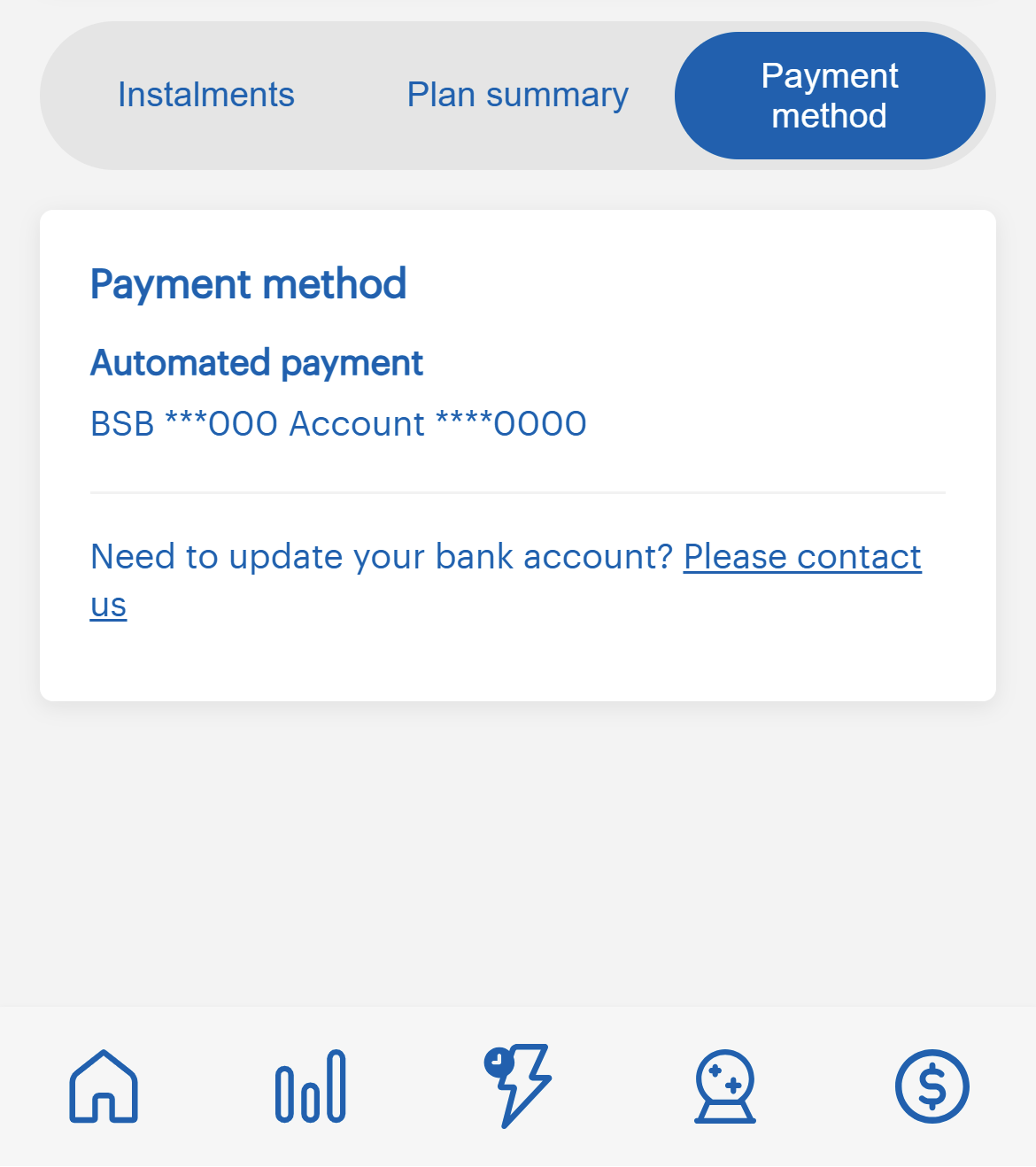
Payment method
You can view the payment method you have set up, if you need to update this method you can contact our team on 1300 132 030, Monday to Friday between 8am – 6pm.
All information is displayed in a simple layout, designed to be easy to understand at a glance.
How do I view my Payment Plan?
You’ll see your full payment plan overview in one place.
Need more help?
If you’re experiencing financial difficulty or want to talk through your options, please reach out to our team on 1300 132 030, Monday to Friday between 8am – 6pm. We can work with you to find a payment solution that suits your situation.